Start with your list
Import a CSV with item numbers, descriptions, and expected quantities, and review it before you count — or start a count without a list. Only have a PDF invoice? CountMinder gives you a prompt to turn it into a CSV.
CountMinder compares the items in front of you with a list of expected quantities. Import a CSV, scan barcodes or printed item numbers with your iPhone camera, and see what matches — and what still needs attention.
Useful over flashy. Clear over complicated.

Bring your list. Check your stuff. Find the difference.
Whether you are checking a delivery, counting parts for a project, or auditing tagged equipment, CountMinder keeps what you expected and what you counted side by side, so shortages and extras stand out while you are still standing next to the items.
Checking items against a list usually means a printout, a pen, and a tally that is easy to lose track of. CountMinder does the tally for you and shows the difference as you go.
Import a CSV with item numbers, descriptions, and expected quantities, and review it before you count — or start a count without a list. Only have a PDF invoice? CountMinder gives you a prompt to turn it into a CSV.
Auto mode prefers a barcode in your list and falls back to reading the printed item, model, or SKU number. Barcode and Text modes are there when you need them.
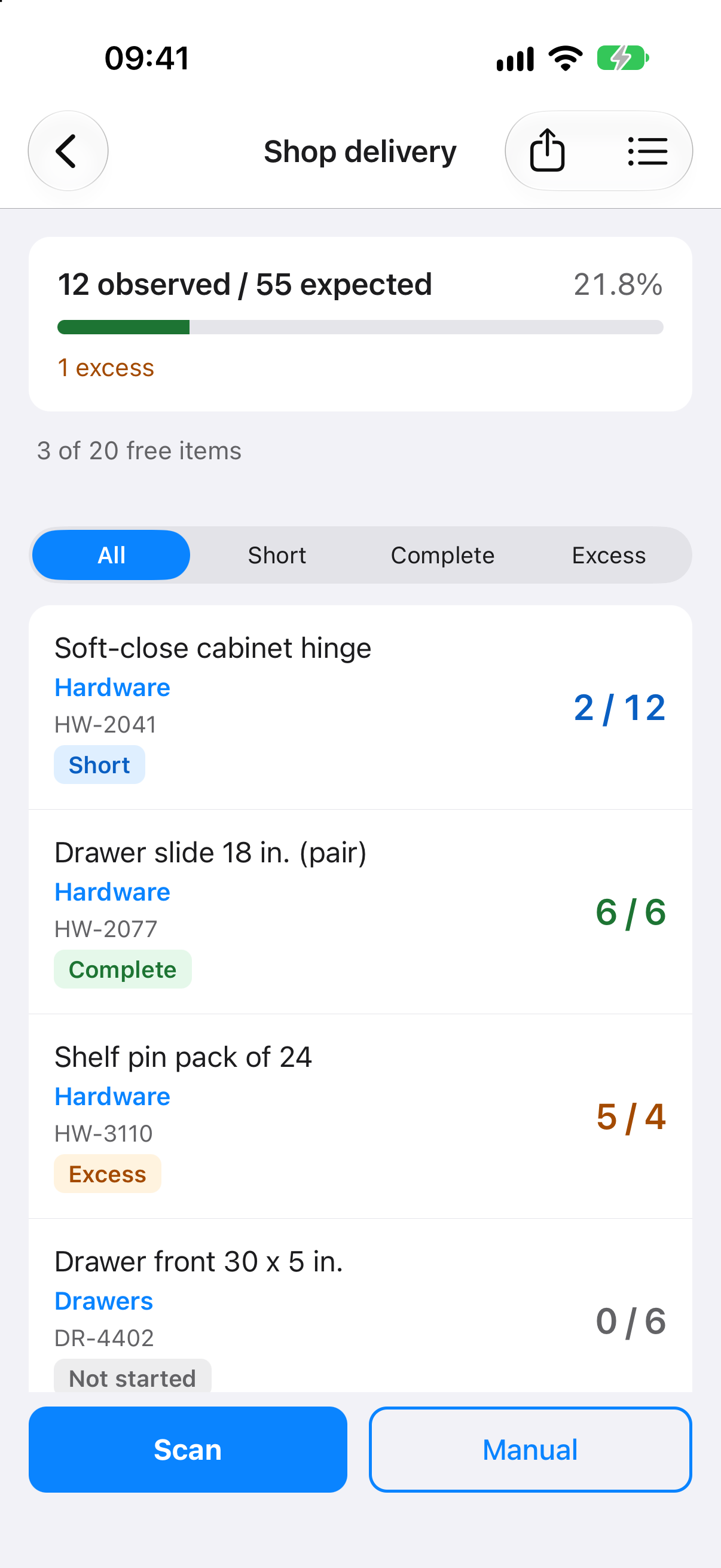
Every item shows what you counted against what you expected, marked Short, Complete, or Excess, without a separate tally on paper.
Sound, haptic, and on-screen feedback after each accepted scan. Undo a mistake, adjust a count by hand, and confirm uncertain matches instead of guessing.
CountMinder is a list-checking tool, not a point-of-sale, purchasing, or warehouse-management system. A barcode counts when it matches an item in your list or has been linked to one; CountMinder does not look products up online.
Say a kitchen cabinet order is arriving Thursday: dozens of boxes of cabinets, doors, drawer fronts, hinges, and hardware, each with a label and an item number. Missing a box usually comes to light days later, halfway through the install. With CountMinder you know before the delivery is signed for.
Import the order as a CSV. Only have a PDF invoice? Copy CountMinder’s prompt into an AI assistant you already use, add the document, and import the CSV it returns. CountMinder itself never sends the document anywhere.
Point your iPhone at each label. Barcodes and printed item numbers count against the list, and loose pieces can be counted by hand.
Every line shows counted against expected, marked Short, Complete, or Excess, and anything that is not on the list is kept apart instead of guessed at.
When every expected item is counted, CountMinder says so and sums up any extras. Anything still short is in front of you while you can still raise it.